T1:键盘艺术家
- Flex布局
题目
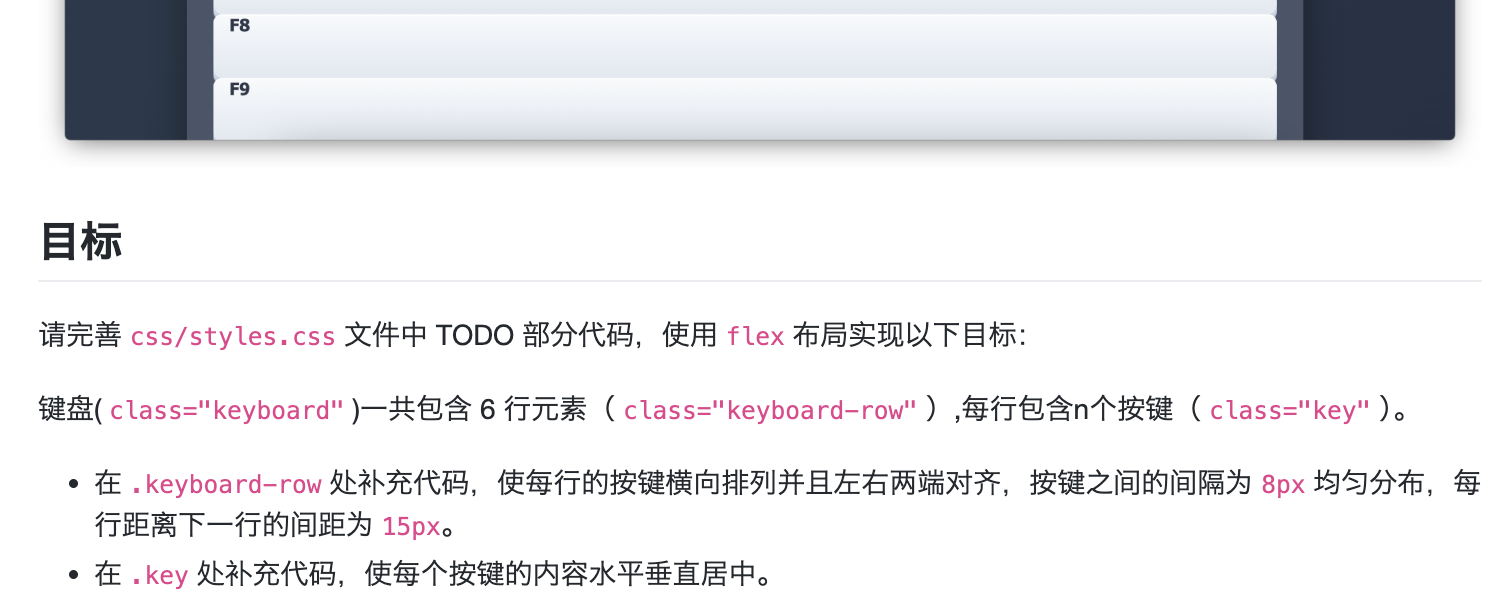
text
键盘 (.keyboard)
  ├── 行 (.keyboard-row) [flex容器1]
  │    ├── 按键 (.key) [flex项目1 + flex容器2]
  │    │    └── 按键文字 [flex项目2]
  │    ├── 按键 (.key) [flex项目1 + flex容器2]
  │    │    └── 按键文字 [flex项目2]
  │    └── ...
  ├── 行 (.keyboard-row) [flex容器1]
  └── ...
每个.key实际上有两个角色:
- 作为.keyboard-row的 flex项目(由父元素控制排列)
- 作为自己内部内容的 flex容器(控制内部文字居中)
answer
css
/* row */
display: flex;                    /* 启用flex布局 */
justify-content: space-between;   /* 两端对齐(左右贴边)*/
gap: 8px;                         /* 项目间固定间距 */
margin-bottom: 15px;              /* 行间距 */
/* key */
display: flex;           /* 让按键自己成为flex容器 */
justify-content: center; /* 水平居中 */
align-items: center;     /* 垂直居中 */
T2:性能看板
- Performance API
题目描述
本题要求实现一个网页性能监控工具,核心任务是补全getNavigationMetrics()函数。该函数需要使用浏览器的Performance API获取页面加载过程中的关键时间节点数据,包括DNS查询、TCP连接、服务器响应、DOM解析和资源加载等各阶段的耗时信息。如果浏览器不支持Performance API或无法获取数据,函数应返回null以便界面显示相应的提示信息。
关键词
- Performance API:现代浏览器提供的性能监测接口,可以获取页面加载、资源请求等性能数据
- PerformanceNavigationTiming:专门记录页面导航性能的对象,包含从导航开始到页面完全加载的详细时间节点
- getEntriesByType('navigation'):Performance API的方法,返回包含页面导航性能数据的数组
- 导航时间线:包括navigationStart、domainLookupStart、connectStart、responseStart、domContentLoadedEventEnd、loadEventEnd等关键时间点
解题思路与答案
完整函数实现
javascript
function getNavigationMetrics() {
  if (
    !window.performance ||
    typeof window.performance.getEntriesByType !== 'function'
  ) {
    console.warn('当前环境不支持 Performance API');
    return null;
  }
  let metrics = null;

  const navigationEntries = performance.getEntriesByType('navigation');

  if (navigationEntries && navigationEntries.length > 0) {
    const navigationTiming = navigationEntries[0];

    metrics = {
      navigationStart: navigationTiming.navigationStart,
      domainLookupStart: navigationTiming.domainLookupStart,
      domainLookupEnd: navigationTiming.domainLookupEnd,
      connectStart: navigationTiming.connectStart,
      connectEnd: navigationTiming.connectEnd,
      responseStart: navigationTiming.responseStart,
      responseEnd: navigationTiming.responseEnd,
      domContentLoadedEventEnd: navigationTiming.domContentLoadedEventEnd,
      loadEventEnd: navigationTiming.loadEventEnd
    };
  }

  return metrics;
}
关键点解析
API兼容性检查:首先检查浏览器是否支持Performance API及其
getEntriesByType方法,这是健壮代码的基础数据获取:
- 使用
performance.getEntriesByType('navigation')获取导航性能数据 - 该方法返回一个数组,通常包含一个
PerformanceNavigationTiming对象
- 使用
数据验证:
- 检查返回的数组是否存在且不为空
- 确保能够获取到有效的导航性能对象
字段提取:
- 从
PerformanceNavigationTiming对象中提取题目要求的9个关键时间点 - 这些时间点以毫秒时间戳的形式表示
- 从
错误处理:
- 如果API不支持或数据获取失败,返回
null - 后续代码会检查返回值并显示相应的用户提示
- 如果API不支持或数据获取失败,返回
性能时间线说明
函数返回的时间点构成了完整的页面加载时间线:
- navigationStart → domainLookupStart:重定向/卸载前一个文档
- domainLookupStart → domainLookupEnd:DNS查询时间
- connectStart → connectEnd:TCP连接建立时间
- responseStart → responseEnd:服务器响应时间
- responseEnd → domContentLoadedEventEnd:DOM解析和构建时间
- domContentLoadedEventEnd → loadEventEnd:资源加载时间
应用场景
该函数是性能监控工具的核心,获取的数据可用于:
- 性能诊断和分析
- 用户体验优化
- 网站性能基准测试
- 监控页面加载速度趋势
注意事项
1.# Performance API在不同浏览器中的支持程度可能略有差异 2. 导航性能数据只在当前页面有效,页面刷新后会重新记录 3. 某些时间点在某些情况下可能为0(如缓存命中时DNS查询时间为0) 4. 对于单页应用(SPA),可能需要使用其他Performance API方法获取路由切换的性能数据